Set up your camera.
Frame your face and get tracking ready in the Windows app.


Turn everyday objects into expressive on-screen personalities. NutCap follows your performance in real time and gives each character a face of its own.
Face processing stays on your computer.
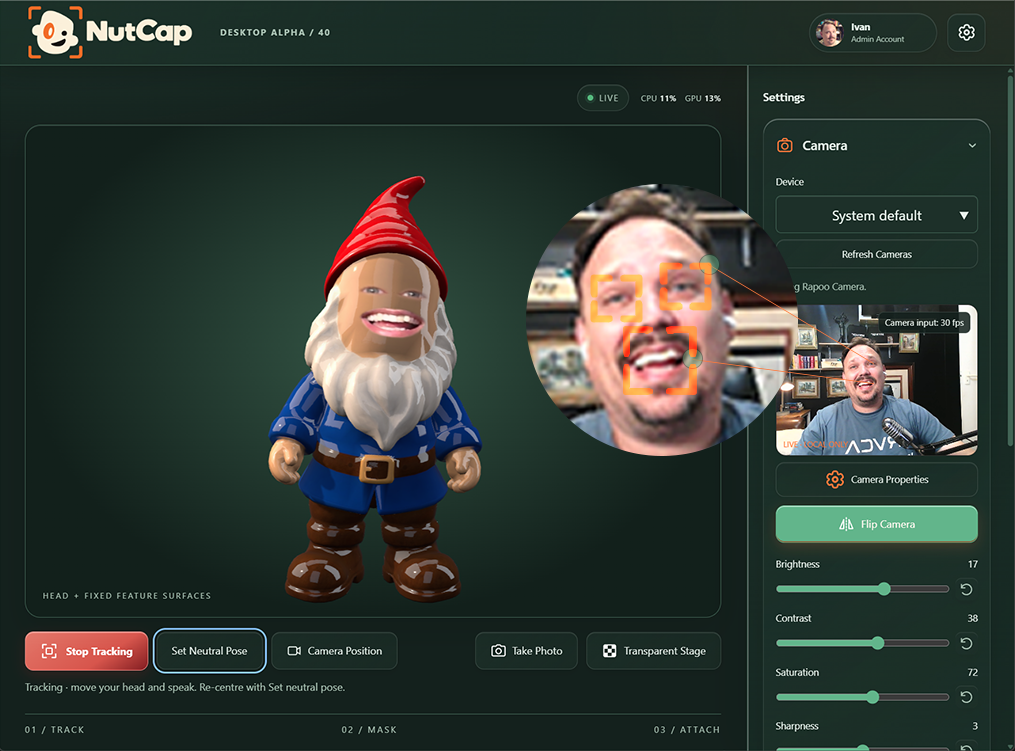
Bring a character to life with your real eyes, mouth and head movement. All from your camera, all on your computer.
Live eye and mouth images carry your expressions onto the character.
Set a neutral pose and adjust head smoothing and body follow.
Core tracking works with Free, signed in or not.
Characters, costumes and props, tied to one NutCap account. Grow your collection in the asset store and bring it into your next performance.
Explore the asset store Same account on the website and in NutCap.Purchase an asset in the store and it becomes part of your account library.
Sign in with the same account. NutCap checks your library at launch; refresh it in the app to pick up a new purchase.
Download the assets you want from inside NutCap, then choose them from your character, costume or prop library.
No manual file transfer. Assets that use Creator features still require a Creator plan.
Start with a camera and a character. Build a performance that looks and feels like yours.
Frame your face and get tracking ready in the Windows app.
Pick from your library. Assets tied to your account can be downloaded into the app.
Use your expressions and head movement to animate the character live.
Export selected characters, costumes and scene props as GLB with the free NutCap Blender Exporter.
Get NutCap for Windows, or build your own assets with our free Blender exporter.